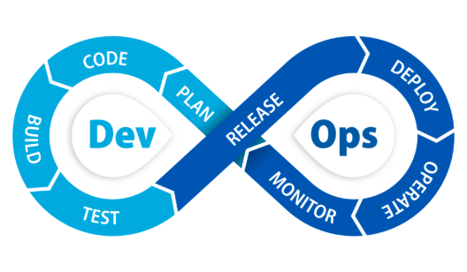
Q1. Which CI/CD tools does Quantum Whisper support?
Quantum Whisper works with the major CI/CD platforms, including Azure DevOps Pipelines, GitHub Actions, Jenkins, Atlassian Bamboo, and Bitbucket Pipelines. Because the integration reads release metadata you already embed in your pipeline configuration (such as YAML variables), it works with any pipeline that can expose version, build, and deployment data.
Q2. Which CRMs can receive CI/CD pipeline data?
Quantum Whisper pushes release data into Salesforce, Microsoft Dynamics 365, and ServiceNow. The same pipeline metadata can be mapped to the appropriate record type in whichever CRM your customer-facing teams use — accounts and opportunities in Salesforce or Dynamics, or configuration items and cases in ServiceNow.
Q3. What release data can be synced to the CRM?
Any metadata your pipeline exposes can be synced — including version numbers, build IDs, deployment timestamps, environment names, release notes references, and any custom configuration data you choose to embed. You control which fields flow through and where they land in the CRM.
Q4. Do we need to write scripts or code to set this up?
No. Quantum Whisper is a packaged integration, not a scripting framework. There are no custom connectors to build, no webhooks to maintain, and no code to write. If the metadata you want to sync is already in your pipeline configuration, setup is a matter of mapping fields to CRM records through a point-and-click interface.
Q5. How is this different from a webhook or a custom API integration?
Webhooks and custom API integrations are fragile — they break when an API changes, require developer time to build and maintain, and often lack error handling or retry logic. Quantum Whisper is a maintained, production-grade integration that sits on top of your existing pipelines and CRM, understands your metadata, and stays in sync automatically as both platforms evolve. You don't manage it; it's maintained as part of your subscription.
Q6. How is release data mapped to the right customer record?
Mapping is driven by the metadata in your pipeline. For example, a client identifier, tenant name, or environment label embedded in your pipeline configuration tells Quantum Whisper which CRM record to update. This means a build deployed for Client A updates Client A's record — automatically, with no manual lookup.
Q7. Is the update real-time or batched?
Updates are event-driven. When your pipeline runs, the corresponding CRM record is updated as part of that event — not on a delayed polling schedule. Sales, support, and customer success see deployment data reflected in the CRM shortly after the build or release completes.
Q8. Does this work with multi-tenant SaaS deployments?
Yes. Multi-tenant SaaS and per-client custom builds are among the most common use cases. As long as your pipeline exposes a tenant or client identifier in its metadata, Quantum Whisper routes each deployment's data to the correct CRM record — even when a single pipeline serves many customers.
Q9. Can we map different pipelines to different CRM objects?
Yes. You can route data from different pipelines, repositories, or environments to different CRM objects and fields. A production deployment might update an account record, while a staging build updates a different field or object — the mapping is fully configurable.
Q10. What happens if a pipeline run fails?
You control the logic. Quantum Whisper can be configured to update the CRM only on successful deployments, or to record failed and rolled-back deployments as well — useful for support teams that need to know when a release did not complete. Deployment status itself can be one of the synced fields.
Q11. Is CI/CD-to-CRM integration secure?
Yes. Quantum Whisper enforces enterprise-grade security including role-based access controls (RBAC), encryption of data in transit and at rest, OAuth 2.0 and SSO authentication, and runs on Microsoft Azure's certified cloud infrastructure. Only the release metadata you choose to expose is synced — no source code, no credentials, and no build artifacts. Compliance posture reports are available for ISO, SOC 2, and HIPAA/HITRUST, among others.
Q12. Who is CI/CD-to-CRM integration for?
Any organization shipping frequent or client-specific releases benefits — SaaS companies with multi-tenant deployments, software vendors delivering per-client builds, agencies and consultancies managing many client environments, and enterprise development teams. It's especially valuable for support, account management, and customer success teams who need to know exactly what version each customer is running without chasing developers.