

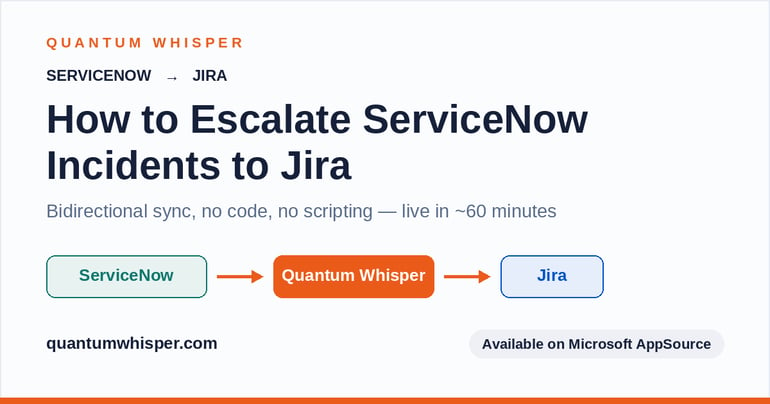
 Your incident is stuck between two systems that don't talk
A support agent in ServiceNow takes a P2 incident. They triage it, realize it's a software bug, and now they need engineering to fix it. Engineering lives in Jira.
So what happens next? Someone copies the description into a Jira issue. They paste a link back into the ServiceNow incident. Then the manual sync tax begins: every time the developer adds a comment, someone re-types it into ServiceNow. Every status change gets relayed by hand or in a Slack thread. The customer asks for an update and nobody on the support side actually knows where the bug stands, because the source of truth is in a system they can't see.
Multiply that by every escalated ticket, every week.
Why the manual ServiceNow–Jira handoff costs more than it looks
The hidden costs of a manual ServiceNow–Jira handoff stack up fast:
- SLA breaches. Status updates lag reality. Support reports "in progress" while engineering closed the bug two days ago — or worse, the other way around.
- Re-work and dropped context. Attachments, repro steps, and customer environment details get lost in translation. Engineering reopens the ticket asking for information the agent already had.
- Two teams, two versions of the truth. Support and engineering argue about status in standups instead of resolving cases. Leadership can't trust either dashboard.
- Agent and developer time bleed. A conservative 5 minutes of manual relay per update, across hundreds of escalations a month, is a full-time role's worth of toil spent retyping.
- Customer trust erodes. The customer experiences the gap between your systems as your company being disorganized.
None of this is a people problem. It's an integration problem. The two systems were never designed to share a record.
How a ServiceNow–Jira integration closes the gap
A ServiceNow Jira integration connects the two platforms so that an escalation creates a linked Jira issue automatically, and updates flow both ways in real time — no manual relay, no second source of truth.
Done right, the flow looks like this:
- A support agent flags a ServiceNow incident (or Customer Case / Problem) for engineering.
- A linked Jira issue is created automatically, carrying the description, priority, attachments, and the fields engineering actually needs.
- As the developer works the issue, comments, status, and resolution sync back to ServiceNow — with control over what stays internal (e.g., developer comments land as Work Notes, not customer-visible updates).
- When engineering resolves the bug, ServiceNow reflects it instantly, and the agent closes the loop with the customer.

The support team stays in ServiceNow. Engineering stays in Jira. Neither has to learn or log into the other's tool. That's the whole point.
What a strong integration has to handle
Not all "connectors" are equal. Before you commit, pressure-test any tool against the messy realities of a real escalation workflow:
- Bidirectional sync, in real time. One-way pushes or interval polling create the same lag you're trying to kill. If updates only sync every 60 seconds on a poll cycle, that's better than manual — but it isn't real-time.
- The right ServiceNow record types. Incidents are table stakes. You also likely need Problems, Change Requests, Customer Cases, Catalog Tasks, and RITMs — each with its own mapping.
- Field and comment fidelity. Custom fields, attachments, rich text, and the internal-vs-customer-visible comment distinction (Jira comment → ServiceNow Work Note) have to survive the trip.
- Status mapping that respects each platform's workflow. A Jira "Done" should map to the correct ServiceNow state transition, not a blind overwrite.
- Cloud and on-premise support. Plenty of teams run Jira Data Center or a self-hosted ServiceNow instance. The integration has to reach both.
- Time-to-value. How long from "we bought it" to "escalations are syncing"? Days, or a scripting project measured in weeks?
That last point is where most teams get burned.
How Quantum Whisper does it differently
Quantum Whisper provides packaged integration for ServiceNow and Jira — the mappings, triggers, and sync rules for the escalation use case are pre-built, not assembled from scratch. You connect both systems, point the integration at your escalation workflow, and go live. Bidirectional sync runs in real time, across cloud or on-premise instances, for the record types support and engineering actually use.
The design principle: support stays in ServiceNow, engineering stays in Jira, and the integration does the relay work that a human used to do by hand.
What this is worth: the ROI math
Take a support org escalating 200 incidents a month to engineering. If manual relay costs ~15 minutes of combined agent + developer time per incident over its life (updates, status chases, comment re-typing), that's 50 hours a month of pure toil — before counting SLA penalties and customer-trust costs. Automating the sync doesn't just recover that time; it removes the lag that causes the breaches in the first place.
Run your own numbers with our integration ROI calculator before you talk to any vendor, including us.
Frequently asked questions
Can ServiceNow integrate with Jira? Yes. ServiceNow and Jira can be connected so that incidents, problems, and cases create linked Jira issues with bidirectional, real-time sync of fields, comments, and attachments. You can do it via a packaged connector like Quantum Whisper, a flexible scripting tool, or a no-code platform — the right choice depends on how custom your workflow is and how fast you need to go live.
Is there a native ServiceNow connector for Jira? ServiceNow offers integration capabilities (e.g., via IntegrationHub spokes), but these are ServiceNow-led and template-bound, and they typically require additional licensing. Purpose-built connectors give both teams independent control over their own sync rules and usually cover more record types and the internal-comment/Work Note distinction out of the box.
Does the integration sync comments and attachments both ways? A capable connector does. Crucially, it should let you control visibility — for example, syncing a Jira developer comment into ServiceNow as an internal Work Note rather than a customer-facing update.
Does it work with Jira Data Center / on-premise and self-hosted ServiceNow? Quantum Whisper supports both cloud and on-premise deployments for ServiceNow and Jira. If you run Jira Data Center or a self-hosted ServiceNow instance, confirm deployment support is included — not every tool covers on-prem.
How long does setup take? Because the escalation workflow is packaged rather than scripted, Quantum Whisper is designed to go live in 60 minutes with no code, not the multi-week scripting projects that fully custom engines can require.
Ready to kill the copy-paste tax?
See the packaged ServiceNow Jira connector in action, or book a demo and we'll map it to your exact escalation workflow.