


Enjoy integration tips, industry best practices and company news

Connecting Support & Development Teams

Team Quantum Whisper

Team Quantum Whisper
Team of elves that love software and happy customers.

Recent Posts

How to Escalate Salesforce Cases to Jira Issues (2026)

Team Quantum Whisper - Jul 26, 2026, 9:33:01 PM

The problem: the case is in Salesforce, the fix lives in Jira

A support agent working a Salesforce case confirms it's a software bug. The fix has to happen in engineering — and engineering works in Jira, not Salesforce. Right now, that handoff is a human copying fields from a Salesforce case into a new Jira issue: summary, description, repro steps, priority, environment, attachments. Then pasting the issue key back into the case. Then babysitting both records for every comment, status transition, and resolution until the fix ships.

Read More

How to Escalate ServiceNow Incidents to GitHub Issues (applies to catalog tasks and change requests too)

Team Quantum Whisper - Jul 26, 2026, 12:24:42 PM

The problem: the incident is in ServiceNow, the fix lives in GitHub

A support agent working a ServiceNow incident confirms it's a software defect. The fix has to happen in engineering — and engineering works in GitHub, not ServiceNow. Right now, that handoff is a human copying fields from a ServiceNow incident into a new GitHub issue: title, description, repro steps, severity, environment, screenshots. Then pasting the issue URL back into the incident. Then babysitting both records for every comment, label change, and resolution until the fix ships.

Topics: ServiceNow- GitHub

Read More

How to Escalate Salesforce Cases to Azure DevOps

Team Quantum Whisper - Jul 18, 2026, 5:47:19 PM

The problem: the case is in Salesforce, the fix lives in Azure DevOps

A support agent working a Salesforce case confirms it's a software bug. Engineering needs to fix it — but engineering works in Azure DevOps, not Salesforce. Right now, someone copies the case details into a new Azure DevOps work item: title, description, repro steps, priority, attachments. Then they paste the work item link back into the Salesforce case. Then they spend the next week manually relaying comments, status changes, and resolution between two systems that were never designed to share a record.

Topics: Azure DevOps- Salesforce- Integration

Read More
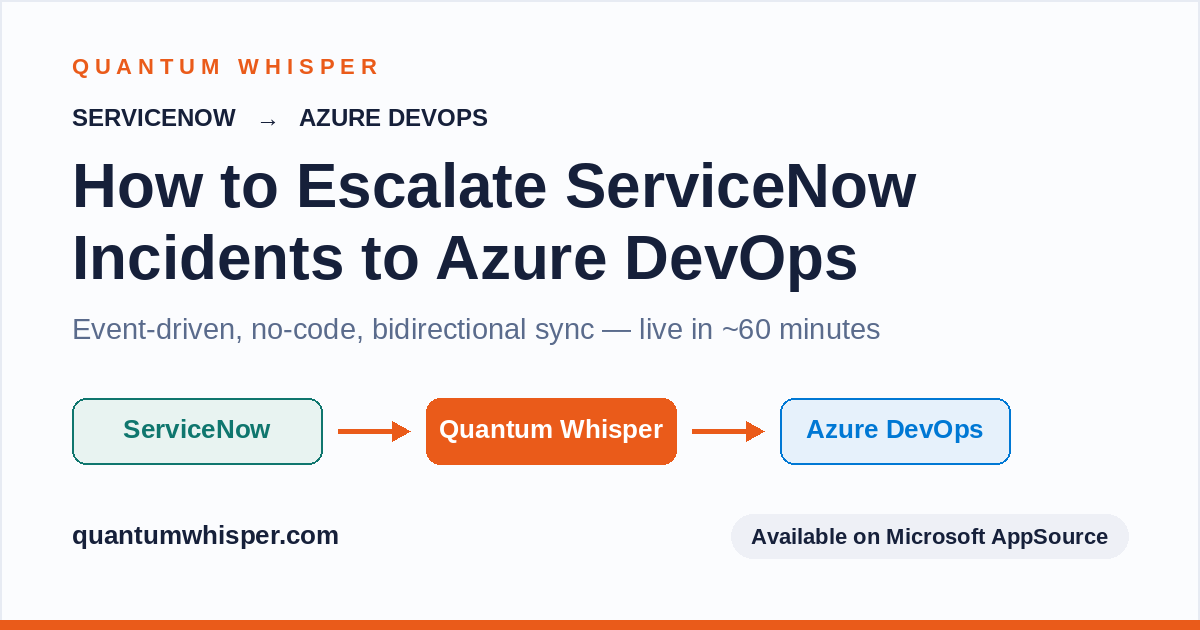
How to Escalate ServiceNow Incidents to Azure DevOps

Team Quantum Whisper - Jul 3, 2026, 4:15:00 PM

The problem: the bug is in ServiceNow, the fix lives in Azure DevOps

A support agent working a ServiceNow incident confirms it's a software defect. The fix has to happen in engineering — and engineering works in Azure DevOps, not ServiceNow. Right now, that handoff is a human copying fields from an incident into a new Azure DevOps work item: title, description, repro steps, severity, environment, attachments. Then pasting the work item URL back into the incident. Then babysitting both records until the fix ships.

Topics: ServiceNow- Azure DevOps- Integration

Read More

How to Escalate ServiceNow Incidents to Jira (Without the Copy-Paste Tax)

Team Quantum Whisper - Jun 19, 2026, 1:18:25 PM

Your incident is stuck between two systems that don't talk

A support agent in ServiceNow takes a P2 incident. They triage it, realize it's a software bug, and now they need engineering to fix it. Engineering lives in Jira.

Topics: ServiceNow- Jira

Read More
ServiceNow Jira Integration: 10 Reasons Enterprises Need It

Team Quantum Whisper - Feb 2, 2026, 10:09:14 PM

10 Reasons Why Enterprises Are Integrating ServiceNow & Jira

ServiceNow is the gold standard for IT Service Management (ITSM), offering robust capabilities for incident, problem, change, and request management, while Jira dominates Agile project management and software development with powerful issue tracking, sprint planning, and release management features. In most large organizations, IT operations run on ServiceNow while engineering and product teams live in Jira. Without proper integration, this creates silos, duplicate work, and gaps in communication. Enterprises increasingly need these platforms to work together seamlessly so that incidents, changes, and development tasks stay aligned across the entire lifecycle—from detection and triage to fix, test, and deployment. When ServiceNow and Jira are tightly connected, work flows smoothly between IT and development, teams stay in sync, and leadership gains a clear end-to-end view of what’s happening. Here’s why ServiceNow Jira integration is a game-changer.

Topics: ServiceNow- Jira- Integretion

Read More

Introducing CRM Integration for CI/CD Pipelines: Auto Update Customer Records

Team Quantum Whisper - Dec 29, 2025, 7:21:38 AM

Bridging the Support-Dev Gap: Auto Populate CRM with CI/CD Pipeline Data

At Quantum Whisper, we’re always looking for ways to bridge the gap between development and customer-facing teams. Today, we’re thrilled to announce a powerful new feature: CRM Updates via CI/CD Pipelines.

Topics: CRM- Pipelines

Read More

10 Reasons Enterprises Integrate ServiceNow with Azure DevOps

Team Quantum Whisper - Jul 19, 2025, 3:06:22 PM

When a customer hits a bug, the incident lands in ServiceNow — but the fix lives in Azure DevOps. Most enterprises still bridge that gap by hand: an agent copies the incident into a work item, emails a developer, and then spends the next week chasing status. Integrating ServiceNow with Azure DevOps removes that manual handoff entirely, so support and engineering work off the same source of truth without living in each other's tools.

The benefits of integrating ServiceNow and Azure DevOps compound quickly once escalations, status, and comments flow automatically. Here are the ten that matter most to support and engineering leaders — and why they show up on the bottom line.

1. Escalations stop dying in email

The single biggest win: a support agent escalates a confirmed bug or feature request to engineering without leaving ServiceNow, and a linked Azure DevOps work item is created automatically with the incident's context intact. No more "I emailed a developer and I'm waiting to hear back." The handoff becomes a system event, not a favor.

2. Support sees live engineering status without pinging engineers

With real-time, bidirectional sync, the work item's state — active, in a sprint, resolved — is visible on the ServiceNow incident. Agents stop interrupting developers with "any update on this?" and developers stop getting pulled out of focus time to answer. The status is just there.

3. Duplicate work items stop clogging the backlog

Without visibility into what's already been escalated, three agents will file the same bug three times. A search-before-create step lets an agent find and link an existing work item instead of creating a new one — so engineering triages each defect once, not three times.

4. SLA breaches from stale status drop

A large share of SLA misses aren't caused by slow engineering — they're caused by stale information. Support reports "in progress" on a bug engineering closed two days ago, or promises a fix that isn't real. When status syncs automatically, the incident reflects reality, and the breaches that come from lost-in-translation updates disappear.

5. Engineers never have to learn ServiceNow

Adoption dies when you ask developers to work in a second tool. Integration means engineers get the full incident context on the Azure DevOps work item — description, priority, attachments, custom fields — and work it exactly how they normally do in Azure Boards. Zero context-switching, zero new tool to adopt.

6. Internal developer chatter stays internal

Not every engineering comment should reach the customer. A good integration lets a developer's Azure DevOps comment land in ServiceNow as an internal Work Note rather than a customer-facing update — so teams collaborate candidly without worrying about what leaks into the customer's view.

7. Mean time to resolution (MTTR) drops

Every manual step — creating the work item, re-typing comments, reconciling status — adds latency to the incident lifecycle. Automating the relay compresses that lifecycle. Teams routinely take per-escalation handling from minutes of manual data entry down to seconds, and the removed status lag shortens the whole path from report to resolved.

8. You get a clean audit trail and full traceability

Every incident is linked to its work item and vice versa, with a complete history from report through fix to close. For teams under change-management or compliance requirements, that end-to-end traceability — which code change resolved which customer incident — is difficult to reconstruct manually and trivial when the two systems are connected.

9. Both teams get capacity back without adding headcount

The copy-paste relay is a hidden tax that scales with volume. A team escalating a couple hundred incidents a month can spend the equivalent of a full role's time just moving information between systems. Automating it hands that capacity back to both support and engineering — no hiring required.

10. Customers feel it, and CSAT and retention follow

Everything above rolls up to the customer experience: faster resolution, accurate status, fewer dropped threads. Customers experience the gap between your systems as your company being disorganized — and they experience a tight integration as competence. That shows up in CSAT scores and, ultimately, in renewals.

The Business Case in One Number

The benefits are real, but leadership wants the math. Take a support team escalating ~150 incidents a month to engineering at ~15 minutes of combined agent and developer relay time each — that's roughly 37 hours a month of pure toil, before SLA penalties and churn risk. That's the number to put in front of a budget owner. Run your own with the integration ROI calculator.

Quantum Whisper's packaged ServiceNow Azure DevOps connector delivers these benefits with event-driven, no-code, bidirectional sync — most teams live in about 60 minutes, across Azure DevOps cloud or on-premise, and it's available on Microsoft AppSource. If you want the mechanics, see how to escalate ServiceNow incidents to Azure DevOps.

Frequently asked questions

Why should enterprises integrate ServiceNow with Azure DevOps? Because the customer incident lives in ServiceNow while the fix lives in Azure DevOps, and bridging that gap by hand is slow and error-prone. Integrating the two automates the escalation and keeps status, comments, and resolution in sync, which reduces SLA breaches, speeds resolution, and improves customer satisfaction.

What are the main benefits of a ServiceNow–Azure DevOps integration? Automatic escalation of incidents to engineering, real-time visibility of work item status inside ServiceNow, fewer duplicate work items, lower MTTR, controlled internal-vs-customer comment visibility, a complete audit trail, and recovered team capacity.

Is integrating ServiceNow and Azure DevOps worth it? For teams escalating more than a handful of incidents a week, yes — the recovered relay time alone typically justifies it, before counting the SLA and retention benefits. A quick way to check is to multiply your monthly escalations by the minutes spent manually relaying each one.

Do we have to replace ServiceNow or Azure DevOps? No. The point of integration is that support keeps working in ServiceNow and engineering keeps working in Azure DevOps — neither team changes tools; the data moves between them automatically.

Explore Packaged Solution & Integration

While there are obviously many reasons to integrate, from our experience, customers love our ServiceNow and Azure DevOps integration for it's simplicity, targeted and use cases specific integration, and it's fast and easy set-up and configuration. Customers are always amazed they can be fully integrated within 60 minutes. Remember that each organization’s context may vary, but these reasons highlight the value of integrating ServiceNow and Azure DevOps for enterprises! 🚀

ServiceNow & Azure DevOps Integration Schedule Demo


Topics: ServiceNow- Azure DevOps

Read More

Salesforce & Jira Integration: The Game-Changer for Support Teams

Team Quantum Whisper - Jun 1, 2025, 3:14:50 PM

How Salesforce Case Management Sets the Stage

Topics: Jira- Salesforce- Integration

Read More

What is the Difference Between "Projects" in GitHub and Azure DevOps?

Team Quantum Whisper - Feb 10, 2025, 3:03:56 PM


Great question! As an integration platform targeting both platforms, Quantum Whisper product managers had to ask ourselves the same question. Given that we specialize in integrating Salesforce, ServiceNow, and Dynamics 365 with both GitHub and Azure DevOps (commonly referred to as ADO or AzDo), it was essential for us to grasp the main use cases for each application. From a solution perspective, our goal is to enhance your process by contextualizing customer integration to match work management requirements. Below is a summary of our findings, and we hope it can help you too!

First: GitHub & Azure DevOps Background

While both GitHub and Azure DevOps offer robust project management features, their unique history (GitHub vs. Microsoft) and subsequent design target slightly different needs and workflows, each with its own strengths and focus areas. GitHub has always been primarily geared towards developers who are deeply integrated into the GitHub ecosystem, offering tools that enhance collaboration and streamline the management of code-centric projects. On the other hand, Azure DevOps provides a more comprehensive suite of tools that support the entire software development lifecycle (SDLC), making it an ideal choice for organizations that require a more integrated and enterprise-level solution. This distinction allows each platform to serve its target audience effectively, whether it's individual developers, open-source communities, or large enterprise teams. Since Microsoft's acquisition of GitHub in 2018, their positioning has shifted towards a form of coopetition. As GitHub increasingly innovates to target the enterprise market, Azure DevOps gains from GitHub's innovations by incorporating key features like GitHub Advanced Security (GHAS).

GitHub vs Azure DevOps Projects

GitHub Projects1

  • Focus: Primarily supports project management for code hosted on GitHub.
  • Features: Offers Kanban-style boards, task tracking, and integration with GitHub issues and pull requests.
  • Community: Strong emphasis on open-source collaboration and community-driven development.
  • Integration: Best suited for projects that are already using GitHub for version control.

Azure DevOps Projects2

  • Focus: Provides a more integrated solution for the entire software development lifecycle.
  • Features: Includes tools for planning, version control, CI/CD, testing, and deployment. It also offers robust project management tools like Azure Boards.
  • Flexibility: Can handle a wider variety of projects, not limited to those hosted on GitHub.
  • Enterprise Support: Historicly popular in enterprises for its comprehensive suite of tools and strong support for cloud and on-premises environments.

In conclusion, GitHub is an excellent option for projects that are primarily centered around code and flourish in a community-oriented setting. It is particularly well-suited for developers who are deeply embedded in the GitHub ecosystem, as it provides tools that enhance collaboration and streamline the management of code-centric projects. This makes it an ideal platform for open-source communities and individual developers who prioritize simplicity and flexibility in their project management approach. On the other hand, Azure DevOps Projects offers a more comprehensive and holistic approach, making it an excellent option for organizations that require a robust, enterprise-friendly solution to manage the entire software development lifecycle. It provides a wide array of tools that support planning, version control, continuous integration and delivery (CI/CD), testing, and deployment, all within a single integrated platform. This makes Azure DevOps particularly appealing to large enterprise teams that need a more structured and detailed project management system to handle complex projects with multiple layers of tasks and dependencies. Interestingly, some customers are using both tools, integrating platforms to suit their needs.

Learn More About Salesforce Integrations

GitHub Issues vs Azure DevOps Work Items

To gain a deeper understanding of how projects and hierarchies function within both GitHub and Azure DevOps for effective work management, it's essential to explore the distinct methodologies and tools each platform offers. By examining the unique approaches to organizing, tracking, and managing tasks, we can better appreciate how these platforms cater to different project needs and team dynamics. This exploration will cover the specific features and capabilities that enable users to structure their work efficiently, whether through GitHub's flexible, community-driven environment or Azure DevOps' comprehensive, enterprise-level framework. Understanding these differences will help in selecting the right platform for your project's requirements, ensuring that your team can collaborate effectively and achieve its goals.

GitHub Issues3

  • Work Management: Uses Kanban-style boards to manage tasks. You can create issues, assign them to team members, and track progress through different stages (e.g., To Do, In Progress, Done).
  • Hierarchies: GitHub Issues does offer hierarchy through the use of sub-issues. You can break down larger tasks into smaller, manageable sub-issues, creating a hierarchical structure. This allows you to organize and track your work more effectively. You can break down larger tasks into sub-issues, showing their relationship to the parent issue for better tracking across GitHub. Parent and sub-issue progress is visible in your projects, enabling you to build views, filter, and group by parent issue. Sub-issues can also contain their own sub-issues, creating full hierarchies that visualize entire projects and their relationships.

Azure DevOps Work Items

  • Work Management: Offers a more comprehensive set of tools for managing work. Azure Boards allows you to create work items (e.g., user stories, tasks, bugs), assign them to team members, and track their progress.
  • Hierarchies: Supports a more detailed hierarchy. You can create epics, features, user stories, and tasks, which can be nested to reflect the project’s structure and priorities. This helps in breaking down large projects into manageable pieces.

Key Differences

  • GitHub: Simpler, more flexible for smaller teams or open-source projects. Best for straightforward task tracking.
  • Azure DevOps: More robust, suitable for larger teams and complex projects. Offers detailed hierarchies and integrated tools for the entire development lifecycle.

When managing a large-scale project that involves numerous layers of tasks and complex dependencies, Azure DevOps emerges as a highly suitable option. This platform is designed to handle intricate project structures, offering a comprehensive suite of tools that facilitate detailed planning, tracking, and execution across various stages of the software development lifecycle. Its robust capabilities make it particularly advantageous for large enterprise teams that require a structured approach to manage extensive workflows and ensure seamless collaboration among team members. On the other hand, for smaller, more agile projects that prioritize flexibility and speed, GitHub Projects can be an excellent choice. It provides a streamlined and user-friendly environment that supports quick iterations and efficient task management, making it ideal for individual developers or small teams who thrive in a more dynamic and less formalized setting. This adaptability allows teams to focus on rapid development and innovation without the need for the extensive infrastructure that larger projects might demand.

Do GitHub & Azure DevOps Integrate?

However, there's an ongoing debate between choosing "best of breed solutions" versus "all-in-one" or "end-to-end" solutions. Each approach has its pros and cons, and some organizations are even adopting hybrid solutions to get the best of both worlds. Note, if you are not already familiar with the term best of breed, it refers to selecting the best individual software solutions for specific functions or tasks, rather than opting for an all-in-one suite that covers multiple needs. This approach allows organizations to choose specialized tools that excel in their respective areas, providing greater flexibility and often better performance. In the context of GitHub and Azure DevOps, below are the most common ways customers integrate and use both systems.

Learn More About ServiceNow Integrations


GitHub & Azure DevOps Integration4, 5

  1. Azure Boards Integration: By connecting Azure Boards with GitHub repositories, users can link GitHub commits, pull requests, branches, and issues to work items in Azure Boards. This integration allows for seamless planning and tracking of work.
  2. Azure Pipelines: GitHub repositories can be integrated with Azure Pipelines for continuous integration and continuous delivery (CI/CD). This enables automated builds, tests, and deployments directly from GitHub.

  3. GitHub Advanced Security for Azure DevOps: This feature integrates GitHub’s security capabilities, such as secret scanning and code scanning, into Azure DevOps. It helps in identifying and mitigating security vulnerabilities within the development workflow.

  4. GitHub Copilot: GitHub Copilot features, like code completions and chat, are available in Visual Studio or Visual Studio Code, enhancing the development experience for Azure DevOps users.

  5. Collaboration: Users can sign into Azure DevOps using their GitHub credentials, making it easier to invite GitHub collaborators into Azure DevOps projects and streamline the collaboration process.

Hopefully, you now have a better understanding of the respective GitHub and Azure DevOps platforms. While we did our best to share our insights, it's important to understand that both platforms continue to evolve, so any comparative analysis only reflects a specific point in time. Nevertheless, we believe the fundamentals we expressed above will serve as a foundation for years to come.

Sources: 
1. https://www.techrepublic.com/article/azure-devops-vs-github
2. https://stackshare.io/stackups/azure-devops-vs-github
3. https://docs.github.com/en/issues/tracking-your-work-with-issues/using-issues
4. https://learn.microsoft.com/en-us/azure/devops/cross-service/github-integration?view=azure-devops
5. https://devblogs.microsoft.com/blog/getting-the-most-out-of-azure-devops-and-github


Read More

Stay Connected

Subscribe today!

Subscribe to get best practices, tips and news in your inbox.

Subscribe to Email Updates

100% Privacy. No Spam.

Integration ROI Calculator

Calculator your savings and get immediate results. Managers love it!

Recent Posts