



Great question! As an integration platform targeting both platforms, Quantum Whisper product managers had to ask ourselves the same question. Given that we specialize in integrating Salesforce, ServiceNow, and Dynamics 365 with both GitHub and Azure DevOps (commonly referred to as ADO or AzDo), it was essential for us to grasp the main use cases for each application. From a solution perspective, our goal is to enhance your process by contextualizing customer integration to match work management requirements. Below is a summary of our findings, and we hope it can help you too!
While both GitHub and Azure DevOps offer robust project management features, their unique history (GitHub vs. Microsoft) and subsequent design target slightly different needs and workflows, each with its own strengths and focus areas. GitHub has always been primarily geared towards developers who are deeply integrated into the GitHub ecosystem, offering tools that enhance collaboration and streamline the management of code-centric projects. On the other hand, Azure DevOps provides a more comprehensive suite of tools that support the entire software development lifecycle (SDLC), making it an ideal choice for organizations that require a more integrated and enterprise-level solution. This distinction allows each platform to serve its target audience effectively, whether it's individual developers, open-source communities, or large enterprise teams. Since Microsoft's acquisition of GitHub in 2018, their positioning has shifted towards a form of coopetition. As GitHub increasingly innovates to target the enterprise market, Azure DevOps gains from GitHub's innovations by incorporating key features like GitHub Advanced Security (GHAS).
In conclusion, GitHub is an excellent option for projects that are primarily centered around code and flourish in a community-oriented setting. It is particularly well-suited for developers who are deeply embedded in the GitHub ecosystem, as it provides tools that enhance collaboration and streamline the management of code-centric projects. This makes it an ideal platform for open-source communities and individual developers who prioritize simplicity and flexibility in their project management approach. On the other hand, Azure DevOps Projects offers a more comprehensive and holistic approach, making it an excellent option for organizations that require a robust, enterprise-friendly solution to manage the entire software development lifecycle. It provides a wide array of tools that support planning, version control, continuous integration and delivery (CI/CD), testing, and deployment, all within a single integrated platform. This makes Azure DevOps particularly appealing to large enterprise teams that need a more structured and detailed project management system to handle complex projects with multiple layers of tasks and dependencies. Interestingly, some customers are using both tools, integrating platforms to suit their needs.
Learn More About Salesforce Integrations

|

|

|
To gain a deeper understanding of how projects and hierarchies function within both GitHub and Azure DevOps for effective work management, it's essential to explore the distinct methodologies and tools each platform offers. By examining the unique approaches to organizing, tracking, and managing tasks, we can better appreciate how these platforms cater to different project needs and team dynamics. This exploration will cover the specific features and capabilities that enable users to structure their work efficiently, whether through GitHub's flexible, community-driven environment or Azure DevOps' comprehensive, enterprise-level framework. Understanding these differences will help in selecting the right platform for your project's requirements, ensuring that your team can collaborate effectively and achieve its goals.
When managing a large-scale project that involves numerous layers of tasks and complex dependencies, Azure DevOps emerges as a highly suitable option. This platform is designed to handle intricate project structures, offering a comprehensive suite of tools that facilitate detailed planning, tracking, and execution across various stages of the software development lifecycle. Its robust capabilities make it particularly advantageous for large enterprise teams that require a structured approach to manage extensive workflows and ensure seamless collaboration among team members. On the other hand, for smaller, more agile projects that prioritize flexibility and speed, GitHub Projects can be an excellent choice. It provides a streamlined and user-friendly environment that supports quick iterations and efficient task management, making it ideal for individual developers or small teams who thrive in a more dynamic and less formalized setting. This adaptability allows teams to focus on rapid development and innovation without the need for the extensive infrastructure that larger projects might demand.
However, there's an ongoing debate between choosing "best of breed solutions" versus "all-in-one" or "end-to-end" solutions. Each approach has its pros and cons, and some organizations are even adopting hybrid solutions to get the best of both worlds. Note, if you are not already familiar with the term best of breed, it refers to selecting the best individual software solutions for specific functions or tasks, rather than opting for an all-in-one suite that covers multiple needs. This approach allows organizations to choose specialized tools that excel in their respective areas, providing greater flexibility and often better performance. In the context of GitHub and Azure DevOps, below are the most common ways customers integrate and use both systems.
Learn More About ServiceNow Integrations

|

|

|
Azure Pipelines: GitHub repositories can be integrated with Azure Pipelines for continuous integration and continuous delivery (CI/CD). This enables automated builds, tests, and deployments directly from GitHub.
GitHub Advanced Security for Azure DevOps: This feature integrates GitHub’s security capabilities, such as secret scanning and code scanning, into Azure DevOps. It helps in identifying and mitigating security vulnerabilities within the development workflow.
GitHub Copilot: GitHub Copilot features, like code completions and chat, are available in Visual Studio or Visual Studio Code, enhancing the development experience for Azure DevOps users.
Collaboration: Users can sign into Azure DevOps using their GitHub credentials, making it easier to invite GitHub collaborators into Azure DevOps projects and streamline the collaboration process.
Hopefully, you now have a better understanding of the respective GitHub and Azure DevOps platforms. While we did our best to share our insights, it's important to understand that both platforms continue to evolve, so any comparative analysis only reflects a specific point in time. Nevertheless, we believe the fundamentals we expressed above will serve as a foundation for years to come.
Sources:
1. https://www.techrepublic.com/article/azure-devops-vs-github
2. https://stackshare.io/stackups/azure-devops-vs-github
3. https://docs.github.com/en/issues/tracking-your-work-with-issues/using-issues
4. https://learn.microsoft.com/en-us/azure/devops/cross-service/github-integration?view=azure-devops
5. https://devblogs.microsoft.com/blog/getting-the-most-out-of-azure-devops-and-github

Over the years, we've had the privilege of serving a diverse range of customers, spanning from fresh startups to established enterprise clients. It's truly fascinating to see this dichotomy! In each scenario, there has been a clear desire for seamless integration between customer-facing support and helpdesk teams, responsible for managing cases in Salesforce.com, Microsoft Dynamics 365, ServiceNow and the backend engineering teams utilizing tools like Azure DevOps, Jira, GitHub, VersionOne, and Rally for work management. However, enterprise customers have additional requirements that must be addressed to adequately meet their needs. Below are essential requirements that the Quantum Whisper provides enterprise customers.
Topics: ServiceNow- Salesforce- Dynamics
Read More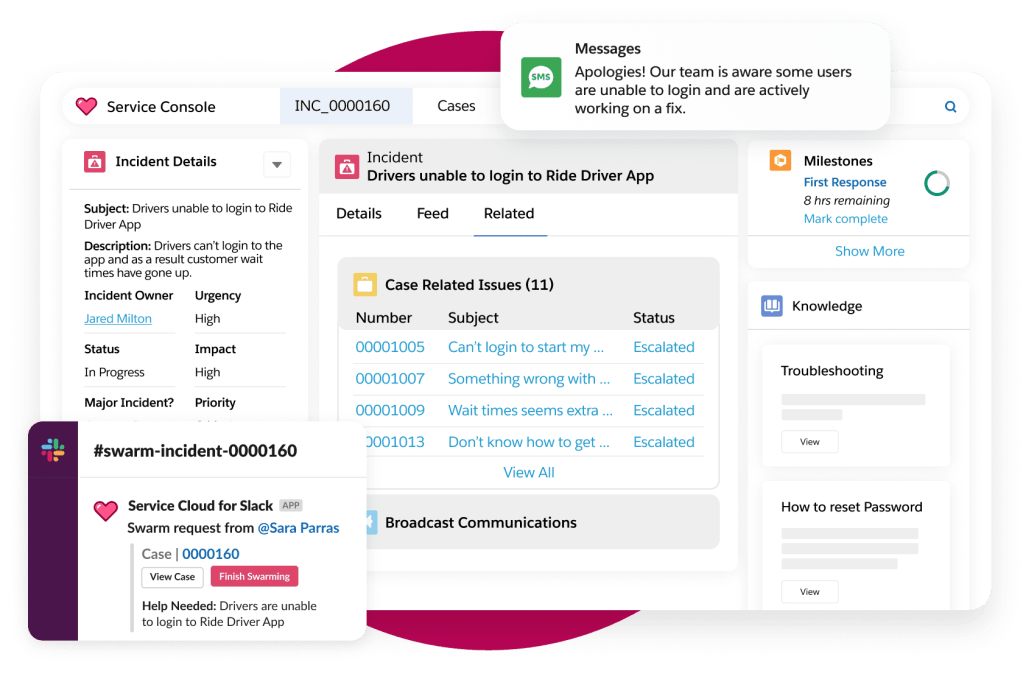
The Quantum Whisper team is thrilled to announce that our leading Salesforce integration connector has been modernized and expanded to include support for all Salesforce objects --- including custom objects. Responding to customer requests to broaden our integration beyond case management, we've introduced a user-friendly point-and-click interface that allows customers to integrate any Salesforce object on demand. The new functionality puts our Salesforce integration on par with our Dynamics 365 integration that has supported any object since 2023.
Topics: Salesforce- ITSM/ITIL
Read More
The short answer is "yes," dynamics 365 CRM does integrate with Azure DevOps. However, there are two main use cases that are sometimes confused. The first scenario is developer and engineering focused, and the second, is customer service and business focused.
Topics: Microsoft- CRM- Azure DevOps- Dynamics
Read More
Quantum Whisper is delighted to announce that our popular integration app and platform is now officially listed on the Saleforce.com AppExchange (yay!). After years of success and customer feedback, we felt it was the right time and opportunity. This is a great and strategic move to not only support our exiting customers, but also to expand and grow our business. As customers increasingly choose Quantum Whisper's leading integration platform, they are reassured that their solution of choice, having successfully passed the necessary business and technical requirements (security etc.), is the best solution for their organization. Moreover, the AppExchange listing will significantly improve our solutions distribution and discoverability. Growing our business allows us to constantly innovate and reinvest in our team and solutions. We are a software company and we love that!
Topics: Announcements- Salesforce
Read More
The Quantum Whisper Okta integration allows customers to sign in to our platform without requiring them to remember a separate set of credentials. Instead, users can leverage their existing Okta single sign-on (SSO) account to immediately gain access to our application. In addition, the Quantum Whisper integration platform is now a listed application to the Okta Integration Network (OIN), enabling millions of Okta users to discover our integration platform.
Topics: News!
Read More
ServiceNow has long been a leader in the Information Technology Service Management (ITSM) space. It offers a robust and flexible set of tools to optimally develop, deliver, and manage IT services. ServiceNow ITSM is commonly used to handle internal incidents, service requests, problems, and changes.
Topics: ServiceNow
Read More On October 6th, 2020, Gartner named ServiceNow a leader for 7th year in 2020 ITSM Magic Quadrant. The Gartner Magic Quadrant is a much anticipated report for customers seeking a third-party evaluation of IT Service Management vendors. As a leading integration solution vendor ourselves, Quantum Whisper looks to these reports to develop strategy and plan future integrations. The report provides an overall snapshot of the ITSM industry as well as a full assessment of ITSM vendors including strengths and weaknesses. It servers as a great guide for those evaluating an ITSM solution. To learn more about the report, visit Gartner to download a copy.
Topics: ServiceNow- Azure DevOps- GitHub- Jira- Rally- VersionOne
Read More